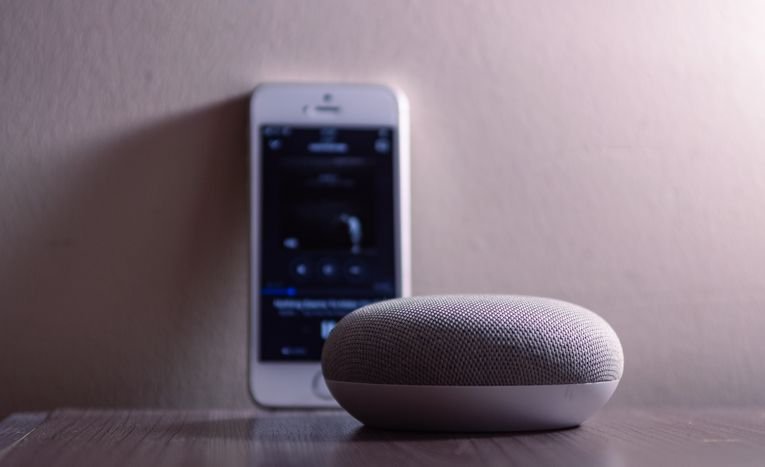
AI voice assistants have become genuinely useful tools for everyday tasks, from setting reminders to controlling smart home devices, but the three biggest options, Siri, Google Assistant, and Amazon Alexa, differ meaningfully in capability, ecosystem integration, and where they perform best. This guide compares the three directly to help you choose based on the devices and services you actually use.
The short answer: there is no single best voice assistant. The right choice is the one that fits the devices you already own. Siri is the natural pick for iPhone and Mac users, Google Assistant is the strongest choice for Android users and for answering general knowledge questions, and Alexa is the best all round option for running a mixed smart home. The sections below compare the three feature by feature so you can decide with confidence.
Siri vs Google Assistant vs Alexa: Direct Comparison
| Feature | Siri | Google Assistant | Alexa |
|---|---|---|---|
| Best ecosystem fit | Apple devices (iPhone, HomePod, Mac) | Android devices, Google services | Amazon Echo devices, third party smart home |
| Main devices | iPhone, iPad, Mac, Apple Watch, HomePod | Android phones, Nest speakers, Wear OS watches | Echo speakers, Echo Show, Fire TV |
| Smart home integration | Strong within Apple HomeKit | Broad, works with most major brands | Widest third party device support |
| General knowledge queries | Improving, historically weaker | Strong, leverages Google Search | Good for straightforward factual queries |
| Music streaming | Apple Music first, other services supported | YouTube Music, Spotify and most major services | Amazon Music, Spotify and most major services |
| Privacy approach | Strong on-device processing focus | Cloud based, tied to Google account | Cloud based, tied to Amazon account |
| Shopping integration | Limited | Google Shopping integration | Deep Amazon shopping integration |
| Offline commands | Some common commands work offline | Limited offline support | Very limited offline support |
Siri: Best for Apple Users
Siri’s main advantage is how deeply it is woven into Apple’s products. On an iPhone it can send messages, set reminders, control HomeKit devices, and run shortcuts, often without opening an app. Because many commands are processed on the device, simple requests feel snappy and still work with a weak internet connection.
Recent updates have made Siri noticeably better at understanding natural phrasing, and it is the only assistant that feels truly native across iPhone, iPad, Mac, Apple Watch, and HomePod. The main drawback is breadth: it supports fewer third party smart home devices than Alexa, and for tricky factual questions it still trails Google Assistant.
Google Assistant: Best for Android and Knowledge
Google Assistant’s standout strength is answering questions. Backed by Google Search, it handles complex and follow up queries better than either rival, keeping track of context when you ask one question after another.
It is also the most tightly integrated assistant for Android, reading naturally from Gmail and Google Calendar and navigating with Google Maps. Routines let you chain actions to a single command, such as a good morning routine that reads your calendar and switches on the lights. One thing to note: Google is moving newer devices towards Gemini, its newer AI assistant, though existing commands keep working during the transition.
Alexa: Best for Smart Homes
Alexa’s superpower is compatibility. It works with more third party smart home brands than either competitor, so a house full of mixed bulbs, plugs, thermostats, and cameras is easiest to run from one Echo. The Echo range also covers more shapes and budgets than any rival speaker line-up.
Skills extend what it can do, from quizzes to ordering taxis, and routines can automate sequences such as locking doors at bedtime. Amazon’s newer Alexa+ upgrades make conversations feel more natural. The trade off is privacy and ads: Alexa is tied to your Amazon account with cloud processing by default, though you can review and delete recordings.
Everyday Tasks: Head to Head
Beyond the headline features, day to day reliability matters. Here is how the three compare on the tasks people actually use most.
| Task | Siri | Google Assistant | Alexa |
|---|---|---|---|
| Timers, alarms, reminders | Excellent, works partly offline | Excellent, syncs across devices | Excellent, especially on Echo speakers |
| Texts and calls | Best on iPhone with iMessage | Strong on Android | Works, but calling features are more limited |
| Music playback | Smoothest with Apple Music | Strong across services | Strong across services |
| Directions and traffic | Good with Apple Maps | Best, powered by Google Maps | Basic, redirects to phone for detail |
| Shopping lists | Simple, stays in Reminders | Simple, syncs with Google Keep | Best for Amazon grocery orders |
| Home automation routines | Good within HomeKit | Good, especially with Google Home | Best for mixed brand homes |
Choosing Based on Your Existing Devices
- If you’re mostly in the Apple ecosystem: Siri integrates most seamlessly across iPhone, iPad, Mac, and HomePod, with strong privacy focused, on-device processing.
- If you use Android and Google services: Google Assistant offers the deepest integration with Gmail, Google Calendar, and Android itself, plus strong general knowledge answers.
- If you have a smart home with many different brands: Alexa generally offers the widest compatibility with third party smart home devices, making it a common default hub choice.
What Matters Beyond Brand Loyalty
For most people, the practical decision comes down to which ecosystem their existing devices already sit within, since switching assistants often means switching phones, smart speakers, and smart home hubs too. It’s also worth considering privacy preferences, since the three assistants take different approaches to how much processing happens on-device versus in the cloud, and how voice data is stored and used.
Privacy: What Happens to Your Voice Data
Privacy is the area where the three differ most clearly. Siri processes many common requests on the device and is not tied to an advertising profile. Google and Amazon process most commands in the cloud, linked to your account, though both let you review and delete voice history. If privacy is your top priority, Siri is the safest default, and whichever assistant you choose, spending ten minutes reviewing the privacy settings in the companion app is time well spent.
Frequently Asked Questions
Which voice assistant has the best smart home support?
Alexa generally offers the broadest third party smart home device compatibility, though Google Assistant and Siri both support a wide range of major brands too.
Can I use more than one voice assistant at home?
Yes, many households use different assistants for different devices, though this can create some duplication and confusion around which assistant controls what.
Which assistant is most private?
Siri has generally emphasised on-device processing and minimal data retention more than the other two, though all three have made privacy improvements over recent years.
Is Google Assistant being replaced by Gemini?
On newer Android phones and devices, Google is transitioning to Gemini as the default assistant, which handles the same tasks with more conversational AI. Older devices still run the classic Google Assistant, and existing commands continue to work during the transition.
Do I need to pay to use Siri, Google Assistant, or Alexa?
No, all three are free to use on the devices you already own. Optional extras exist, such as music subscriptions, but the assistants themselves cost nothing beyond the hardware.
Which voice assistant works best with Spotify?
Google Assistant and Alexa both integrate smoothly with Spotify and let you set it as the default music service. Siri supports Spotify too, but Apple Music is the default on Apple devices and works a little more seamlessly.
For related reading, see our comparison of ChatGPT vs Meta AI.