A robot vacuum cannot climb stairs. This single fact shapes every decision a multi-floor household needs to make when choosing one. Some households buy a separate robot for each floor. Others carry one unit between levels manually. Neither approach is automatically right. This guide covers both options and how to decide which fits your home.
Why Stairs Remain an Unsolved Problem
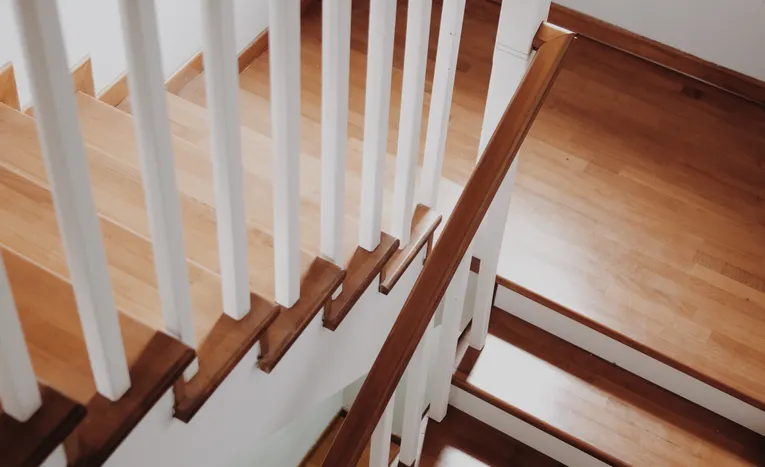
No current robot vacuum climbs stairs safely. This isn’t a minor gap manufacturers are about to close. The engineering challenge of navigating stairs safely, without risk of falling, remains genuinely unsolved at a consumer price point. Every multi-floor household needs to plan around this limitation rather than waiting for it to disappear.
One Robot Per Floor vs Carrying One Unit Between Floors
| Approach | Pros | Cons |
|---|---|---|
| One robot per floor | Fully automated, no manual carrying needed | Higher upfront cost, two devices to maintain |
| Carrying one unit between floors | Lower cost, one device to maintain | Requires manual effort, defeats some of the automation benefit |
A household that genuinely wants “set and forget” cleaning across every floor needs multiple units. A household mainly looking to automate one main living level, with occasional manual cleaning elsewhere, can reasonably manage with one unit moved between floors as needed.
Multi-Floor Mapping: What to Look For
- Multi-floor map storage. Better robot vacuums remember separate maps for each floor, rather than needing to remap every time the robot moves to a different level.
- Automatic floor detection. Some premium models detect which floor they’re on and load the correct saved map automatically.
- Consistent charging dock setup. If moving one unit between floors, having a dock on each level avoids needing to carry the dock as well as the robot itself.
- App-based map switching. Manually switching between saved floor maps in the app should be quick and straightforward, not a multi-step hassle each time.
Practical Setup for a Multi-Floor Home
- If buying one unit for multiple floors, check the model explicitly supports multi-floor map storage before purchase, since not all models do.
- Map each floor separately and thoroughly during initial setup, since a rushed mapping session on any floor causes ongoing navigation problems there.
- Consider a charging dock on each floor if moving the unit regularly, to avoid needing to carry both the robot and its dock each time.
- For homes with very different floor layouts, such as an open-plan ground floor and a compartmentalised upper floor, expect the robot to need slightly different settings per floor for best results.
When Two Robots Makes More Financial Sense
Buying two budget-tier robots, one per floor, sometimes costs less overall than one premium model with multi-floor mapping, while delivering fully automated coverage on both levels. This is worth calculating directly against your specific household’s needs, rather than assuming a single premium unit is automatically the more cost-effective choice.
Expert Insight
Retailers who advise on multi-floor robot vacuum setups consistently find that households underestimate how much friction manual carrying actually creates in practice. What starts as an occasional task to move the robot upstairs often stops happening within a few weeks, effectively leaving the upper floor uncleaned by the robot at all. Being honest about actual household habits, not aspirational ones, leads to a better buying decision.
Frequently Asked Questions
Can any robot vacuum climb stairs?
No, no current consumer robot vacuum safely climbs stairs. This remains an unsolved engineering challenge at consumer price points.
Do I need a separate charging dock for each floor?
Not strictly, but it makes moving one unit between floors considerably easier, since you avoid carrying both the robot and dock each time.
Is it worth buying two budget robots instead of one premium model for a multi-floor home?
Often yes, particularly if the combined cost of two budget units is similar to one premium multi-floor model, since this gives fully automated coverage on both floors.
Final Thoughts
Multi-floor homes need an honest assessment of actual habits, not aspirational ones, when deciding between one shared robot and separate units per floor. For related reading, see our guide to robot vacuum cleaners, and our guide to robotics in the UK.